IPTV Explained simply — what it is, how it works, and what nobody tells you before subscribing. I've tested 10+ services. Here's the brutal truth to avoid scams and pick the right IPTV in 2026.
Two years ago, a buddy asked me: “What’s this IPTV thing everyone’s talking about?” I gave him a 30-minute lecture about internet protocols, streaming packets, and server architectures. His eyes glazed over. He just wanted to watch the football without paying 80 bucks a month.
That’s when I realized: IPTV Explained properly means keeping it simple. No jargon. No tech bro nonsense. Just the stuff you actually need to know before you hand over your credit card.
What Is IPTV? (The Simple Version)
IPTV stands for Internet Protocol Television. Sounds fancy, right? It’s not.
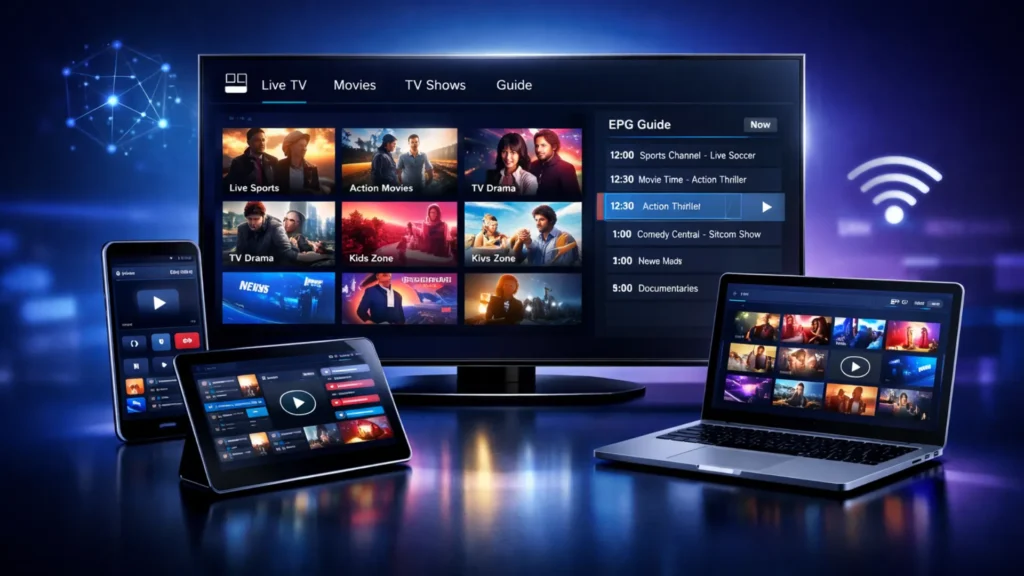
Here’s what it actually means: instead of getting TV through a satellite dish, a cable box, or an antenna, you get it through the internet. That’s it. Same channels. Same shows. Same football matches. Just delivered differently.
Think of it like this:
- Traditional TV = water through pipes (cable/satellite)
- IPTV = water through WiFi (internet)
The water’s the same. The pipe changed.
When I first heard about it, I thought it was some sketchy underground thing. It’s not. Netflix? That’s IPTV. YouTube TV? IPTV. Disney+? IPTV. The technology is everywhere. The difference is whether you’re getting it from a legit provider or… well, we’ll get to that.
How Does IPTV Actually Work? (Without the Tech Headache)
OK, so you want the mechanics. Fine. But I’m keeping it human.
Your IPTV provider has servers somewhere in the world. These servers store or relay TV channels as digital files. When you click on “TF1” or “ESPN” or whatever, your device sends a request through the internet to those servers. The servers send the video back to you. In real-time.
That’s it. That’s the whole magic.
The quality depends on three things:
- The server’s power — weak servers = buffering
- Your internet speed — slow connection = pixelated mess
- The source quality — if the original broadcast is HD, you get HD. If it’s 4K, you get 4K. If it’s a potato cam… you get a potato.
I learned this the hard way. My first IPTV subscription cost me 4 bucks a month. The server was hosted on what felt like a toaster. Every Champions League night, the stream died at the 85th minute. Every. Single. Time.
IPTV Explained properly includes this warning: cheap servers ruin everything.
The Three Types of IPTV (And Which One You Actually Want)
Not all IPTV is created equal. There are three main flavors. Most people don’t know the difference. I didn’t either, until I burned through three subscriptions.
1. Live IPTV (The TV Replacement)
This is what most people mean when they say “IPTV.” It’s live TV channels streamed over the internet. News, sports, movies, kids channels — the whole cable package, but online.
What you get: Hundreds or thousands of live channels from around the world.
The catch: Quality varies wildly. Some channels are crystal clear. Others look like they were filmed on a Nokia 3310.
2. Time-Shifted IPTV (The “I Missed It” Savior)
This lets you watch shows that already aired. Catch-up TV, basically. Missed last night’s episode? No problem. Rewind and watch.
What you get: 7-day catch-up on most channels. Sometimes more.
The catch: Not every provider offers this. And when they do, it’s often glitchy.
3. Video on Demand (VOD) — The Netflix Killer
Movies and TV shows you can watch anytime. No schedule. No waiting.
What you get: A library of films and series. Some providers have 50,000+ titles.
The catch: The library updates… randomly. One week you have the latest Marvel movie. Next week, it’s gone. No explanation.
When I explain IPTV Explained to friends, I tell them: figure out which type matters most to YOU. If you only watch live sports, you don’t need massive VOD. If you binge series, VOD is everything.
IPTV vs Cable/Satellite: The Real Comparison
Everyone asks me: “Is IPTV better than cable?” And my answer is always: “It depends on your pain tolerance.”
Feuilles de calcul
| Feature | Cable/Satellite | IPTV |
|---|---|---|
| Price | $60-100/month | $10-20/month |
| Channels | Fixed package | Thousands, customizable |
| Contract | 12-24 months | Monthly, no commitment |
| Setup | Technician visit | DIY, 10 minutes |
| Quality | Stable, reliable | Varies by provider |
| Mobility | Home only | Anywhere with internet |
| Support | Phone, professional | WhatsApp, hit-or-miss |
Here’s what nobody tells you: cable is boring but reliable. IPTV is exciting but unpredictable. It’s like comparing a Toyota Corolla to a modified sports car. The Corolla always starts. The sports car is faster… when it works.
I’ve had weekends where my IPTV was flawless. Perfect 4K, zero buffering, every channel I wanted. And I’ve had nights where I missed the winning goal because the server crashed. That’s the trade-off.
What You Need to Get Started (Spoiler: Not Much)
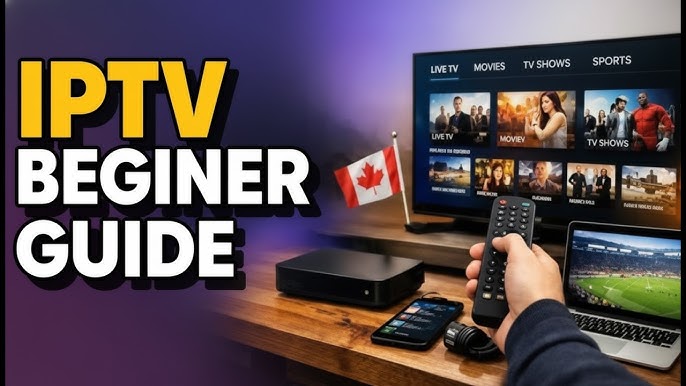
People think IPTV requires a PhD in computer science. It doesn’t. Here’s my actual setup:
The basics:
- A decent internet connection (15+ Mbps for HD, 25+ for 4K)
- A device with a screen (TV, phone, tablet, laptop, whatever)
- An IPTV app (more on this below)
- A subscription from a provider
That’s literally it. My dad — the same 68-year-old technophobe from Brussels — set his up alone after one phone call with me. If he can do it, anyone can.
The nice-to-haves:
- A VPN (some ISPs throttle IPTV traffic)
- An Ethernet cable (more stable than WiFi)
- A Fire Stick or Android box (for older TVs)
When I wrote this IPTV Explained guide, I wanted to emphasize this: the barrier to entry is LOW. Don’t let tech anxiety stop you.
Choosing an IPTV App: The One Decision That Matters
The app is your remote control. Your interface. Your daily experience. Pick wrong, and you’ll hate IPTV forever.
Here are the only three apps I recommend after testing everything:
IPTV Smarters Pro (The All-Rounder)
Works on everything. Android, iOS, Smart TV, Fire Stick. Clean interface. Handles multiple playlists. Has a built-in player.
Best for: Beginners who want something that just works.
Downside: The free version has ads. Pay the $3 to remove them. Trust me.
IBO Player (The Pretty One)
Gorgeous interface. Looks like Netflix. Super easy to navigate. Works great on Samsung and LG Smart TVs.
Best for: People who want a premium feel without the premium price.
Downside: Requires activation via their website. One-time $8 fee. Worth it.
TiviMate (The Power User)
For Android TV only. Insanely customizable. Multiple playlists, recording, catch-up, the works.
Best for: People who want total control and don’t mind tinkering.
Downside: Steep learning curve. Not for your grandma. Unless your grandma is a hacker.
I started with IPTV Smarters Pro. It’s what I recommend to everyone asking for IPTV Explained in simple terms. Once you’re comfortable, explore the others.
The Dark Side of IPTV: Scams, Lies, and Broken Promises
OK, time for the uncomfortable part. The part most “IPTV Explained” articles skip because they want to sell you something.
The IPTV world is full of scams. Full. I’ve been burned. Friends have been burned. Here’s how to not join the club.
Red Flag #1: “15,000 Channels for $3/Month”
Math doesn’t lie. Legitimate servers cost money. Bandwidth costs money. Maintenance costs money. If someone’s selling thousands of channels for the price of a coffee, they’re cutting corners somewhere. Usually on server quality. Or they’re about to disappear with your money.
I lost $15 to a provider that vanished overnight. Website gone. WhatsApp blocked. Poof.
Red Flag #2: “Lifetime Subscription for $50”
There is no lifetime in IPTV. Providers come and go. Servers get shut down. A “lifetime” deal means “until we get bored or busted.” Average lifespan of a cheap IPTV service? 3-6 months.
Red Flag #3: No Free Trial
Any provider confident in their service offers a 24-hour test. No trial = no trust. Period.
Red Flag #4: Bitcoin-Only Payments
Not all crypto-only providers are scams. But most scammers prefer crypto because it’s untraceable. If they don’t accept PayPal or cards, ask yourself why.
Red Flag #5: “We Have Every Channel in 4K”
Lie. Absolute lie. Most live TV broadcasts in 1080i or 720p. True 4K live channels are rare and expensive. Anyone promising universal 4K is upscaling standard definition and calling it premium.
When I give an IPTV Explained warning, this is it: if it sounds too good to be true, it absolutely is.
How to Pick the Right IPTV Service (My Personal Checklist)
After testing 10+ services, here’s what I actually look for:
1. Stable servers during peak hours
Test on Friday night. 9 PM. Champions League. If it holds, it’s solid.
2. The channels I actually watch
I don’t need 15,000 channels. I need TF1, M6, beIN Sports, RTBF, and a few others. Make YOUR list before subscribing.
3. Working VOD with recent content
If I want to watch a movie from 2024, it should be there. Not 2018.
4. Responsive support
WhatsApp, Telegram, email — I don’t care. But they need to answer within a few hours. Not days.
5. Reasonable price
$10-15/month is the sweet spot. Below that, suspicious. Above that, only if they’re truly premium.
6. Multi-device support
I watch on my TV, my phone, and sometimes my laptop. One subscription should cover all three.
This checklist saved me from at least three bad subscriptions. Use it.
FAQ — The Questions Everyone Asks When IPTV Is Explained to Them
“Is IPTV legal?”
The technology? 100% legal. Netflix is IPTV. YouTube is IPTV. The question is: does your provider have the rights to distribute those channels? Legitimate providers do. Sketchy ones don’t. Choose established services with real websites and real support. Not random guys on Telegram.
“Will IPTV work with my slow internet?”
HD needs 8-10 Mbps. 4K needs 25+. If you’re on ADSL with 5 Mbps, stick to SD quality or upgrade your connection. No app fixes bad internet.
“Can I use IPTV while traveling?”
Yes, if your provider allows it. Most do. Just need internet. I watched a match from a hotel in Portugal last year. Worked perfectly.
“Do I need a VPN?”
Sometimes. Some ISPs throttle IPTV traffic. A VPN hides what you’re streaming and can improve stability. Not mandatory, but recommended.
“What happens if my provider shuts down?”
You find another one. That’s the reality of IPTV. Don’t pay for a year upfront unless you really trust the provider. Monthly is safer.
“Can I record shows with IPTV?”
Some apps allow it. TiviMate has recording features. But you need storage space and a device that’s always on. Most people just use catch-up instead.
My Final Take: Is IPTV Worth It?
After two years, dozens of services, hundreds of hours of testing, and a few dollars lost to scams, here’s my honest answer:
Yes. But only if you’re smart about it.
IPTV gives you freedom. Thousands of channels. No contracts. A fraction of the cable price. The ability to watch anywhere. That’s unbeatable.
But it requires homework. Research. Testing. A bit of trial and error. The first provider you try probably won’t be the one you stick with. That’s normal.
When people ask me for IPTV Explained properly, I tell them: it’s not just technology. It’s a mindset shift. From “I take what the cable company gives me” to “I choose exactly what I want.”
That shift is worth it. But go in with your eyes open. Test before you commit. Start small. Learn as you go.
And if you want a provider that checks all my boxes — stable, honest, good channel selection, real support — I’ve been using FOX IPTV Premium for months now. Not because they’re perfect. Because they’re consistent. And in the IPTV world, consistency is everything.
Grab a free trial. Test it yourself. That’s the only way to know if it works for YOU.
So — what’s YOUR IPTV story? First timer or veteran? Got burned by a scam or found the perfect service? Drop a comment below. Let’s help each other out.


