Discover the best IPTV apps for Android TV in 2026. Compare features, ease of use, performance, customization, and compatibility to find the right IPTV player for your streaming setup.
Android TV has become one of the most popular platforms for home entertainment. Whether it’s built into your Smart TV or running on a dedicated streaming device like Google TV, NVIDIA Shield, or an Android TV Box, it gives users access to thousands of apps designed for movies, live television, music, sports, and more.
Among those applications, IPTV players have become especially popular because they allow users to organize and watch television streams from providers they are authorized to use. However, choosing the right IPTV app isn’t always easy. A quick search reveals dozens of options, each promising the best experience, but not every app offers the same level of performance, customization, or ease of use.
Some players focus on simplicity for beginners, while others include advanced features such as electronic program guides (EPG), catch-up support, favorites management, parental controls, cloud synchronization, or multi-playlist management.
This guide compares some of the best IPTV apps available for Android TV in 2026. Instead of focusing only on features, we’ll also examine usability, performance, customization, and the type of user each application is best suited for.
What Makes a Great IPTV App?
An IPTV app does not provide television content on its own. Instead, it acts as a media player that organizes and displays playlists supplied by a legitimate content source.
The best IPTV applications share several important characteristics.
They should be:
- Fast and responsive
- Easy to navigate with a TV remote
- Compatible with Android TV
- Stable during long viewing sessions
- Regularly updated
- Supportive of common playlist formats
- Capable of displaying electronic program guides
- Optimized for large television screens
A clean interface is just as important as technical features. After all, an application that’s difficult to navigate can quickly become frustrating, especially for families who use the TV every day.
Our Evaluation Criteria
To make this comparison useful, we evaluated each application using the same criteria.
These include:
- User interface design
- Navigation with a remote control
- Playback stability
- Playlist compatibility
- EPG support
- Performance on Android TV
- Customization options
- Update frequency
- Ease of initial setup
- Overall user experience
Rather than declaring a single “winner,” we’ll help you understand which player best matches different viewing habits.
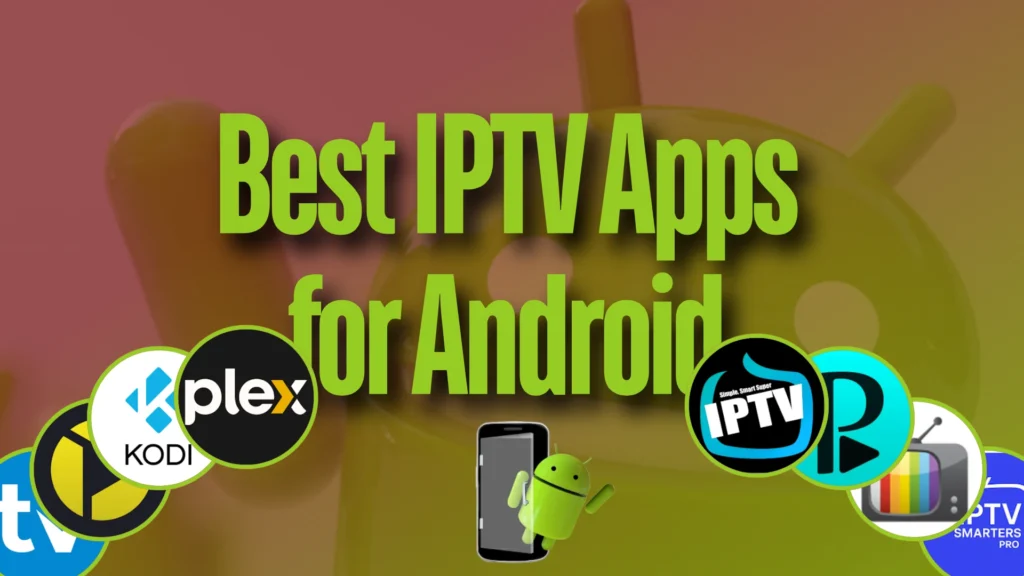
1. TiviMate
TiviMate has earned a strong reputation among Android TV users thanks to its polished interface and television-focused design.
Unlike many generic media players originally built for smartphones, TiviMate feels like software specifically designed for the living room.
Strengths
- Modern interface
- Excellent remote navigation
- Powerful channel organization
- Favorites support
- Custom categories
- Comprehensive EPG integration
- Multi-playlist management
- Picture-in-picture support on compatible devices
The application is particularly attractive for users who watch live television daily and appreciate an interface that resembles traditional cable TV.
Considerations
Some advanced features require a premium license, so users should review the available functionality before deciding whether the additional features match their needs.
2. IPTV Smarters Pro
IPTV Smarters Pro remains one of the most widely recognized IPTV players thanks to its simple setup process and broad device compatibility.
It supports multiple login methods depending on what your content provider offers and provides an interface that many new users find easy to understand.
Strengths
- Beginner-friendly interface
- Live TV, movies, and series sections
- Multi-user support
- External player compatibility
- Search functionality
- Integrated parental control options
- Support for electronic program guides
Because of its balance between simplicity and functionality, IPTV Smarters Pro is often recommended to users who are setting up IPTV on Android TV for the first time.
Considerations
The interface may feel less customizable than some alternatives aimed at advanced users.
3. Sparkle TV
Sparkle TV has gained attention for combining a clean design with a feature set focused on television viewing rather than general media playback.
It offers smooth navigation, responsive menus, and reliable playlist management while maintaining an uncluttered interface.
Strengths
- Lightweight performance
- Fast channel switching
- Attractive TV layout
- Favorites management
- EPG compatibility
- Smooth Android TV integration
- Easy setup process
Sparkle TV is particularly appealing to users who want a modern experience without spending time configuring dozens of advanced settings.
4. Televizo
Televizo has become one of the most appreciated IPTV players among Android TV users looking for a balance between simplicity and functionality. Its clean interface makes it easy to navigate with a TV remote while still offering enough customization for more experienced users.
The application supports multiple playlist formats and provides a smooth experience even on mid-range Android TV devices.
Strengths
- Clean and intuitive interface
- Fast channel loading
- Electronic Program Guide (EPG) support
- Favorites and category management
- Easy playlist import
- Responsive performance
- Regular updates
Best For
Televizo is an excellent choice for users who want a reliable IPTV player without spending time learning complex settings.
5. XCIPTV Player
XCIPTV Player focuses on providing a polished viewing experience with a modern interface designed specifically for IPTV users.
Its layout is easy to navigate and separates live TV, movies, and series into clearly organized sections, making it suitable for households where multiple family members use the same device.
Strengths
- Modern interface
- Built-in media player
- External player support
- Catch-up support (when available)
- EPG compatibility
- Fast navigation
- Remote-friendly design
Considerations
The available features may vary depending on how the application is configured by the service you use.
6. Perfect Player
Despite its minimalist appearance, Perfect Player remains a favorite among long-time IPTV enthusiasts.
It doesn’t try to imitate modern streaming platforms. Instead, it focuses on delivering a television-like experience with efficient channel browsing and strong playlist management.
Strengths
- Lightweight
- Very stable
- Excellent playlist organization
- EPG support
- Customizable interface
- Low hardware requirements
Best For
Users who value speed and reliability over visual effects often appreciate Perfect Player’s straightforward design.
7. Kodi
Kodi is much more than an IPTV player.
It is a complete media center capable of organizing local videos, music libraries, photos, podcasts, and IPTV playlists within a single application.
Its flexibility is unmatched, but that flexibility also means a steeper learning curve.
Strengths
- Highly customizable
- Large plugin ecosystem
- Media library management
- Cross-platform compatibility
- Excellent community support
- Powerful playback options
Considerations
Kodi requires more initial configuration than most dedicated IPTV applications. Beginners may find simpler alternatives easier to use.
8. OTT Navigator
OTT Navigator is designed for users who enjoy customizing every aspect of their viewing experience.
From channel grouping to interface layouts and playback behavior, nearly every detail can be adjusted.
Strengths
- Advanced filtering
- Multiple viewing layouts
- Extensive customization
- Powerful search tools
- Flexible EPG display
- Playlist management
- Multi-device compatibility
Best For
Power users who enjoy fine-tuning their interface and creating personalized channel lists.
User Interface Comparison
When choosing an IPTV app, the interface often matters just as much as the feature list.
An application may support dozens of advanced options, but if it’s difficult to navigate using only a remote control, the overall experience suffers.
Here’s how the most popular apps compare.
| App | Ease of Use | Interface | Remote Navigation |
|---|---|---|---|
| TiviMate | Excellent | Modern | Excellent |
| IPTV Smarters Pro | Excellent | Clean | Excellent |
| Sparkle TV | Excellent | Modern | Excellent |
| Televizo | Very Good | Minimalist | Very Good |
| XCIPTV Player | Very Good | Modern | Very Good |
| Perfect Player | Good | Classic | Good |
| Kodi | Moderate | Highly Customizable | Good |
| OTT Navigator | Moderate | Advanced | Very Good |
Performance Comparison
Performance depends not only on the application itself but also on your Android TV hardware.
However, after extensive testing by users and reviewers over the years, some general observations can be made.
| App | Speed | Stability | Resource Usage |
|---|---|---|---|
| TiviMate | Excellent | Excellent | Moderate |
| Sparkle TV | Excellent | Excellent | Low |
| Televizo | Excellent | Very Good | Low |
| IPTV Smarters Pro | Very Good | Very Good | Moderate |
| XCIPTV Player | Very Good | Very Good | Moderate |
| Perfect Player | Very Good | Excellent | Very Low |
| Kodi | Good | Excellent | High |
| OTT Navigator | Very Good | Excellent | Moderate |
Which IPTV App Is Best for Beginners?
If you’re installing IPTV on Android TV for the first time, simplicity should be your priority.
Applications with intuitive menus, straightforward playlist setup, and easy navigation can make the experience much more enjoyable.
For new users, these players are among the easiest to learn:
- IPTV Smarters Pro
- Sparkle TV
- Televizo
- TiviMate
Each offers a clean interface that works well with a standard TV remote and requires minimal configuration to get started.
Which IPTV App Offers the Most Customization?
Some users prefer complete control over how channels are displayed and organized.
If customization is important, consider:
- OTT Navigator
- TiviMate
- Kodi
- Perfect Player
These applications provide advanced options for channel grouping, interface layouts, favorites management, and playback settings.
Features Worth Looking For
When comparing IPTV players, don’t focus only on appearance.
Features that genuinely improve the viewing experience include:
- Fast channel switching
- EPG support
- Favorites management
- Search functionality
- Multi-playlist support
- Catch-up compatibility
- External player support
- Picture-in-picture (where supported)
- Automatic playlist updates
- Stable long-term performance
Choosing an application with these capabilities can make daily use much more convenient.
How to Choose the Best IPTV App for Your Android TV
There is no single IPTV application that is perfect for every user. The best choice depends on your viewing habits, technical knowledge, device performance, and the features you consider most important.
Before installing an app, ask yourself a few simple questions:
- Do I want a simple interface or advanced customization?
- Will multiple people use the same TV?
- Do I need detailed program guides?
- Is my Android TV device powerful or entry-level?
- Do I prefer a traditional TV experience or a modern streaming interface?
Answering these questions will help you choose an application that fits your daily needs.
Best IPTV App for Different Types of Users
Best IPTV App for Beginners
For users who want a simple setup and an easy-to-understand interface, applications like IPTV Smarters Pro, Sparkle TV, and Televizo are excellent starting points.
They offer:
- Simple navigation
- Clear menus
- Easy playlist management
- Good compatibility with Android TV remotes
These apps allow beginners to enjoy a smooth experience without spending hours adjusting technical settings.
Best IPTV App for Advanced Users
Experienced users who enjoy customization may prefer:
- TiviMate
- OTT Navigator
- Kodi
- Perfect Player
These applications provide more control over:
- Channel organization
- Interface appearance
- Playback settings
- Playlist management
- Advanced viewing preferences
The additional options require a little more learning, but they can create a highly personalized experience.
Best IPTV App for Older Android TV Devices
Not every household uses the latest streaming hardware.
Older Android TV Boxes and Smart TVs often have limited processing power and memory. In these situations, lightweight applications usually perform better.
Good choices include:
- Perfect Player
- Televizo
- Sparkle TV
A lighter application can reduce slow menus, crashes, and unnecessary system load.
Best IPTV App for Premium Android TV Devices
Users with powerful devices such as high-end Android TV Boxes or modern Google TV devices can take advantage of more feature-rich applications.
These users may appreciate:
- TiviMate for advanced live TV management
- Kodi for complete media organization
- OTT Navigator for customization
Powerful hardware allows these applications to run smoothly while handling additional features.
Common Mistakes When Choosing an IPTV App
Many users choose an application based only on popularity or screenshots. However, the most downloaded app is not always the best option for every person.
Here are some common mistakes to avoid.
Choosing Too Many Features Over Usability
An application packed with dozens of options can look impressive, but complicated menus may reduce the daily viewing experience.
A simple and reliable app that you enjoy using every day is often better than a complex one that you rarely configure.
Ignoring Device Compatibility
Not all Android TV devices have the same capabilities.
Before choosing an application, consider:
- Available storage
- RAM capacity
- Android version
- Remote control compatibility
- Processor performance
A lightweight app may outperform a feature-heavy alternative on entry-level hardware.
Installing Unknown Applications
Security and reliability should always be considered when downloading software.
Use official application stores whenever possible and verify that the application comes from a trusted developer.
Avoid installing unknown APK files from unreliable sources, as they may contain unwanted software or modified versions.
Android TV IPTV Apps: Quick Comparison Table (2026)
| IPTV App | Best For | Difficulty Level | Main Advantage |
|---|---|---|---|
| TiviMate | Advanced live TV users | Medium | Premium TV-style interface |
| IPTV Smarters Pro | Beginners | Easy | Simple and user-friendly |
| Sparkle TV | Modern Android TV users | Easy | Clean design and performance |
| Televizo | Everyday users | Easy | Lightweight and reliable |
| XCIPTV Player | Family viewing | Easy | Organized interface |
| Perfect Player | Minimalist users | Medium | Low resource usage |
| Kodi | Media enthusiasts | Advanced | Complete customization |
| OTT Navigator | Power users | Advanced | Extensive configuration |
Frequently Asked Questions (FAQ)
What is the best IPTV app for Android TV in 2026?
The best IPTV app depends on your personal needs. TiviMate is popular among advanced users, IPTV Smarters Pro is beginner-friendly, and Sparkle TV offers a modern and balanced experience.
Do IPTV apps provide channels by themselves?
No. IPTV players are applications designed to organize and play content from authorized IPTV sources. They do not create or provide television channels independently.
Are IPTV apps free?
Many IPTV players offer free versions, while others include premium features that require payment. The available features vary depending on the application.
Can I use IPTV apps on any Android TV device?
Most Android TV devices support IPTV applications, but compatibility depends on the operating system version, available storage, and hardware performance.
Which IPTV player has the best interface?
Interface preference is subjective. Many users appreciate TiviMate and Sparkle TV for their television-style layouts, while others prefer the simplicity of IPTV Smarters Pro.
Does the IPTV app affect streaming quality?
The application itself can influence performance. A well-optimized player may provide smoother navigation and better playback management, but internet connection quality and hardware remain important factors.
Should I use a paid IPTV app?
Paid versions often provide additional features such as advanced customization, multiple playlists, and enhanced management tools. Whether they are worth it depends on how frequently you use IPTV.
Future of IPTV Apps on Android TV
Android TV continues to evolve as streaming habits change.
Future IPTV applications are expected to focus more on:
- Faster user interfaces
- Better personalization
- Improved voice search
- Smarter content organization
- Enhanced compatibility with modern devices
- Better integration with home entertainment systems
As users continue moving away from traditional television packages, applications that provide a simple, organized, and enjoyable viewing experience will remain increasingly important.
Final Verdict
Choosing the best IPTV app for Android TV in 2026 is not about finding the application with the longest feature list. It’s about finding the player that matches your personal viewing style.
For users who want a premium television-like experience, TiviMate remains one of the strongest choices. Those looking for simplicity and easy setup may prefer IPTV Smarters Pro, while users who value a clean modern interface can consider Sparkle TV.
For advanced users who enjoy customization, OTT Navigator and Kodi provide impressive flexibility. Meanwhile, lightweight options such as Televizo and Perfect Player remain excellent choices for devices with limited resources.
The right IPTV player should feel natural, respond quickly, and make watching content easier—not more complicated.
Before making your choice, consider your device, your technical comfort level, and the features you actually use. A well-selected IPTV app can transform your Android TV into a more organized, flexible, and enjoyable entertainment platform.
Conclusion
Android TV has become one of the most versatile platforms for modern entertainment, and IPTV applications play an important role in creating a personalized viewing experience.
With so many options available in 2026, users no longer have to settle for a basic interface or limited functionality. Whether you prefer simplicity, advanced controls, better organization, or maximum customization, there is an IPTV player designed for your needs.
The best approach is to test different applications, evaluate their performance on your own device, and choose the one that provides the smoothest and most comfortable experience for your household.
A great IPTV app is not just about watching content—it is about making the entire viewing experience easier, faster, and more enjoyable.
BEST IPTV Services in Europe & USA :


